
An Arabic meal planner for the home kitchen
“What are we cooking today?” Already answered.
Plan the week's meals in minutes, get one shopping list, and cook step by step — on your phone. The app itself is in Arabic.
- Try it with no account
- Works offline
- Data stays on your phone

How it works
From “what's for dinner?” to the table in four steps
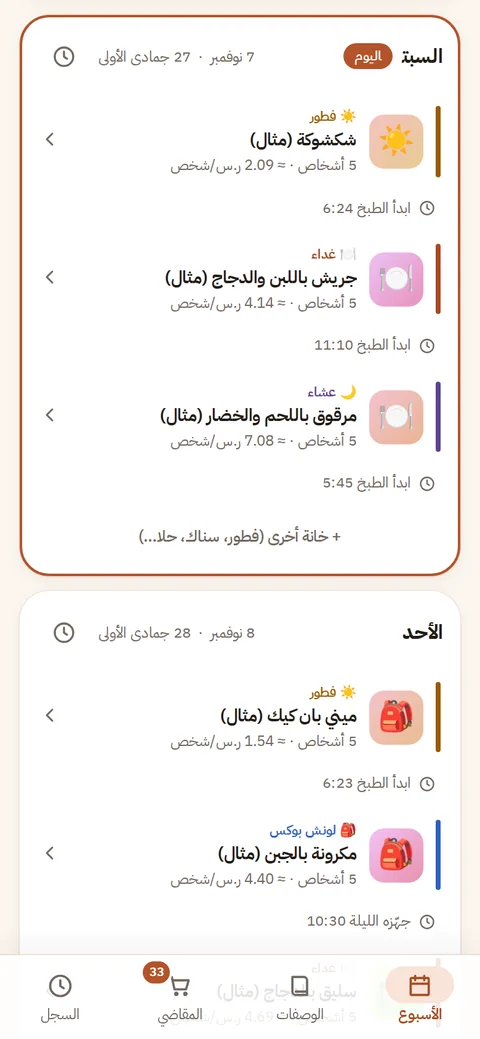
Plan your week
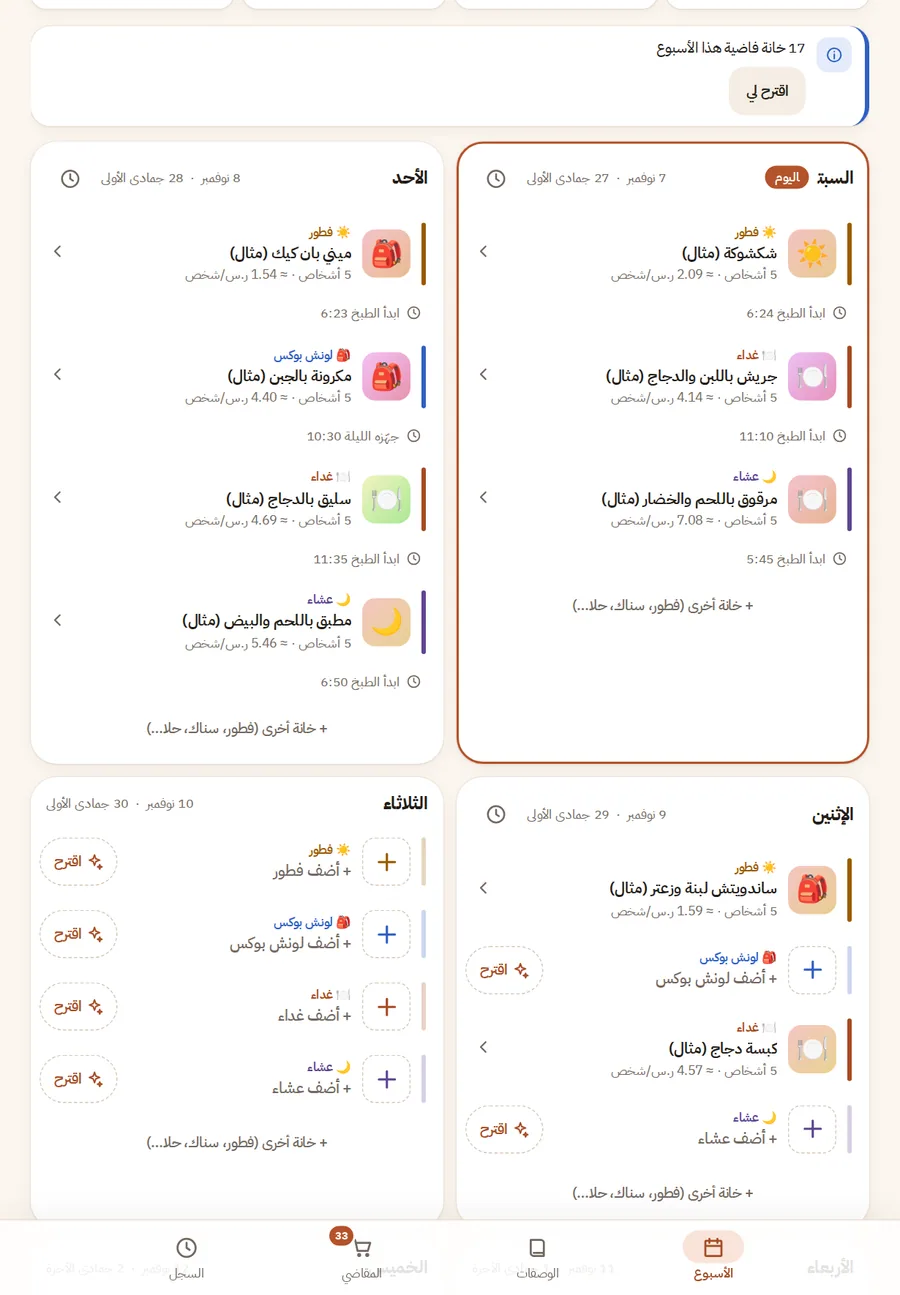
Pick dishes for breakfast, lunch and dinner each day — or tap “Arrange the week” for a draft you can accept or change.
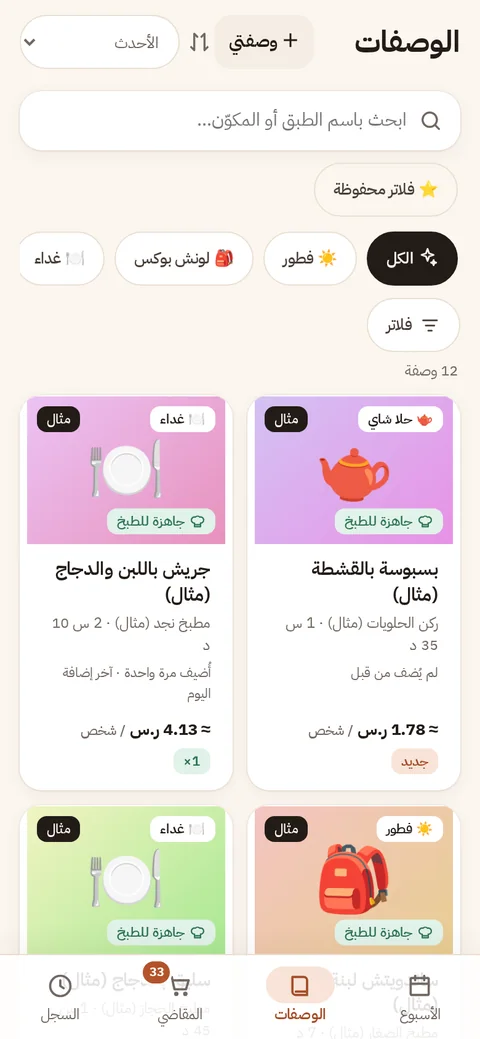
Choose recipes
Browse by meal, chef or cuisine and save your favourite filter sets. You can add your own recipes step by step too.
One shopping list
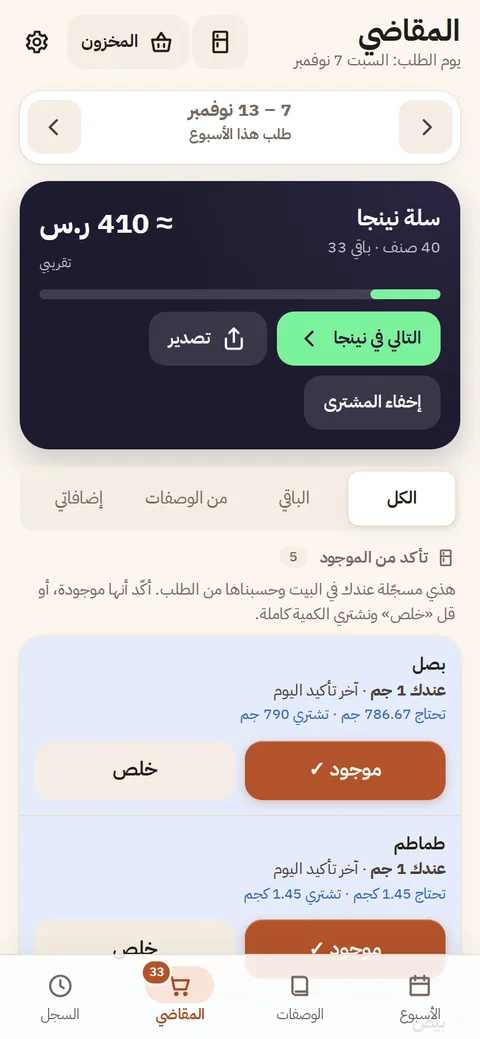
Every ingredient appears once however many recipes use it, minus what you already have at home. Each line links to its place in Ninja.
Cook step by step
Cooking mode shows one step in large type with its amounts and timer, and keeps the screen awake while your hands are busy.

The screenshots on this page are real, taken from the app with its sample data.
Features
Everything a home kitchen needs
All of these are in the app today.
A week plan with meal slots
Breakfast, lunchbox, lunch, dinner, desserts and snacks — plus slots of your own.
Recipes with saved filters
Filter by meal, chef, cuisine and allergens, then save the set under a name.
Portions for your household
Add family members and the app works out servings and who eats which dish.
One consolidated list
Repeated ingredients merge into one line, each with a link to its place in Ninja.
Staples that re-order themselves
Milk, rice, tissues: the app projects when they run out and adds them in time.
Fridge and cabinet
Record what you have and ask “what can I cook from this?”
Your own recipes
A simple wizard for family recipes; they join the plan and the list like any other.
Cooking mode with timers
One step per screen, timers that keep their time if you leave and return, and read-aloud.
Reminders
When to start cooking, what to prepare the night before, and order day — in the app or your calendar.
General nutrition guidance
Each day reads light, balanced or heavy for adults and children. General wellness information, not medical advice.
Suggestions and an assistant
On-device suggestions for empty slots, and an assistant that only proposes — nothing changes without your OK.
Weekly report
An optional summary of your week: what you cooked, what repeated, and ideas for next week.
Community recipes
Browse other households' recipes by most liked and newest, and add favourites to your own. Signed in, you can publish yours under a nickname; it appears after the team reviews it.
Price comparison across stores
Your basket total at several retailers, and a choice of which one the order button opens. It appears when a price file is published for your city; prices are approximate and change.
Elaf shows you around
A guided tour of the app in Elaf's voice, and a live voice conversation where you ask and she suggests — the conversation needs sign-in and microphone access.
Occasion packs
Ramadan, Eid and gatherings: recipe packs prepared by the team that you add to your week dish by dish. They show up in season.
Help, support and recipe requests
Write to us from inside the app and get the answer there, and ask for a recipe you could not find — describe it or paste its link. Tickets need sign-in.
From what you have
Open the fridge and the app tells you what to cook
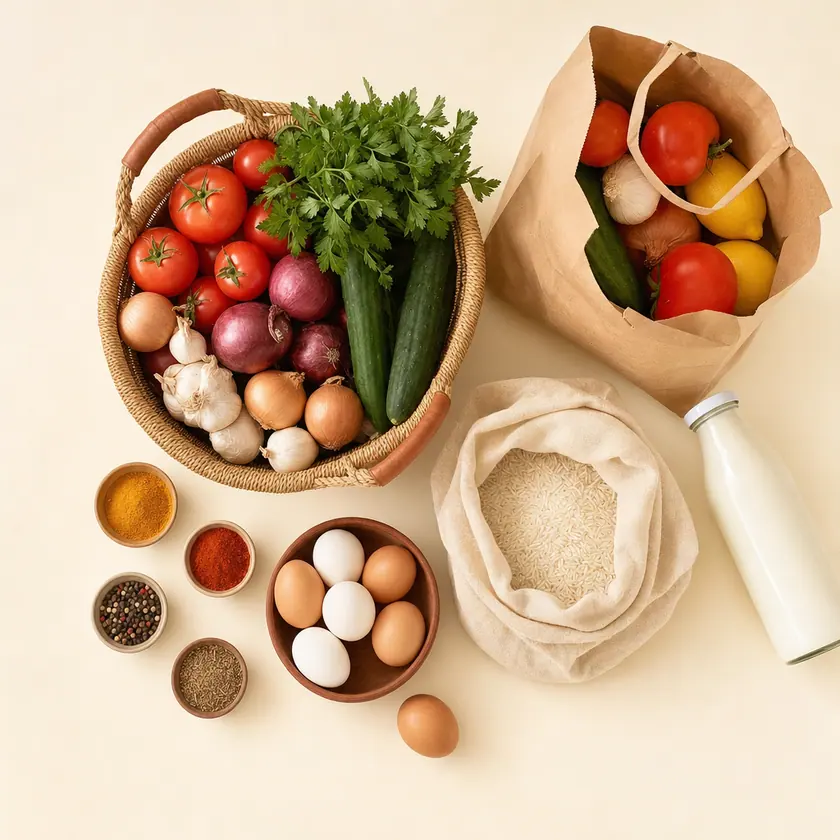
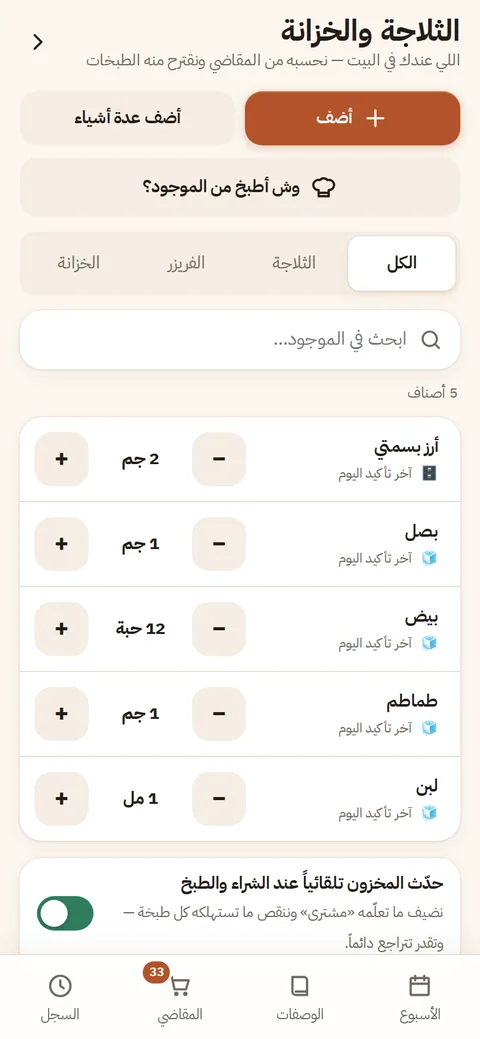
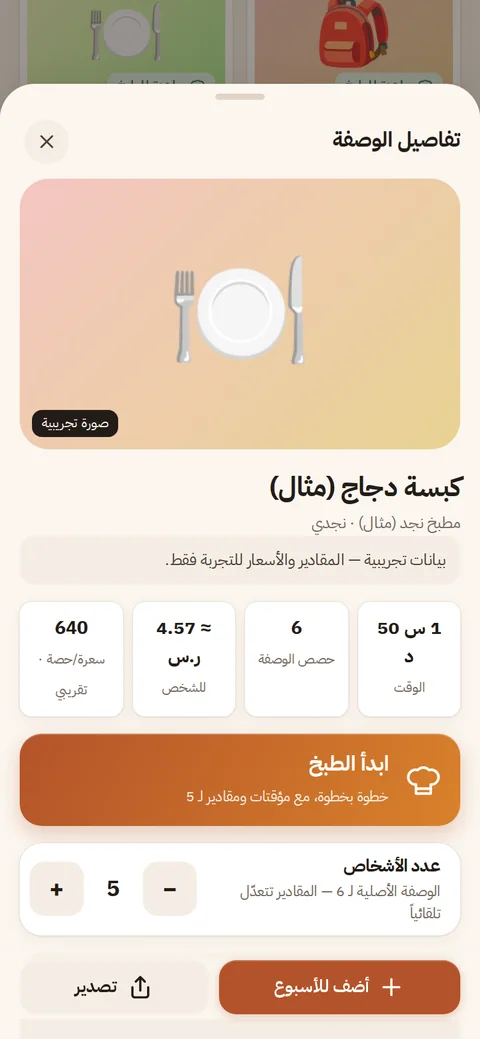
Record what is in the fridge and cabinet once. From then on the shopping list subtracts it, and recipes can be filtered to what you can cook right now. Every recipe shows its time, estimated cost per person and servings you can change with a tap.
Meet Elaf
Elaf, the little house chef
Elaf is the face of Safrat Al-Usbou: a little chef in a white hat and a terracotta apron who keeps you company in the app and on this page.
New Elaf now talks: a guided tour in her voice inside the app, and a live voice conversation where she explains and suggests dishes — the conversation needs sign-in and microphone access.




For the whole household
Share the table — and the shopping
A home is more than one person, so portions follow your household and the shopping list can be shared by link.

Share the list by link
Sign in, publish the link and send it over WhatsApp. Your partner opens it on any phone with no account, ticks what they bought and can add an item.
Stop sharing any time
The link expires, and you can revoke it with one tap. Only item names and quantities are published — no prices, no plan.
Portions per person
Adults and children differ: choose who eats each meal and the amounts follow.
Gatherings
Build a menu for guests; its shopping joins your order, merged or kept apart.
Privacy
Your data lives with you
The app is built local-first. Here is exactly what stays on your phone and what reaches the server.
Stays on your phone
- The week plan and your cooking history
- The shopping list and staples
- Fridge and cabinet stock
- Your own recipes and household members
- All of it works with no account and no connection
Held by the server — only if you use the feature
- If you sign in: your phone number (for sign-in only, never shown to anyone) and the nickname you choose
- If you enable notifications: a random device code, the notification address, and reminder times and types — no dish or ingredient names
- If you share a list by link: item names, quantities and ticks, until the link expires or you revoke it
- If you enable the weekly report: an aggregated summary without names, kept for 12 weeks
- If you ask the assistant: your question and week plan go to the model provider to answer, and are not stored by us
You can delete your account and server data from inside the app at any time; what is on your phone stays as it is. Read the draft privacy policy (Arabic)
Coming soon
What we are working on
These are planned and not available yet. We list them so you know where the app is heading.
- Soon
Sync between devices and family sharing
Your plan and list on phone and iPad together, and one shared week for the whole household.
- Soon
Receipt scanning
Photograph a grocery receipt; what you have at home and the prices update after you confirm.
- Soon
WhatsApp reminders
The start-cooking and order-day reminders by WhatsApp, for those who choose it.
FAQ
Before you start
How do I install it on iPhone?
Open the app in Safari, tap the Share button, then choose “Add to Home Screen”. It then opens like any app, without the browser bar.
- Open the app in Safari
- Tap the Share button
- Choose “Add to Home Screen”, then “Add”
Is it free?
There is no payment or subscription inside the app today. If that ever changes, it will be stated here first.
Do I need an account?
No. You can plan, shop and cook without one. An account is optional and unlocks what needs a server: the assistant, the weekly report, sharing a list by link, publishing a community recipe, support tickets and the live voice conversation with Elaf. Sign-in is a code sent by WhatsApp or SMS — no password.
Which stores does it support?
Order links open Ninja, and other stores when they are in the price file (those copy the item name and open the store). Comparing the basket total across stores works when a price file is published for your city — prices are approximate. For any store you can export the list: copy, WhatsApp, print or an image.
Does it work offline?
Yes. After the first visit the plan, recipes, shopping list and cooking mode work with no connection. The assistant, list sharing and sign-in need the internet.
Does it work on Android or desktop?
It is a web app that opens in the browser; it is designed and tested for iPhone and iPad first.

Next week starts here
Open the app and try it with sample data — no account, no store download.
Try the app